What is in this guide
A desk in a shared room works when it has a fixed spot, a visible end to the working day and a rule about who can use it. Get those three right and the furniture barely matters.
Get them wrong and the desk becomes a dumping ground by week three, the laptop lives on the dining table and work bleeds into every evening.
This is a household decision, not a decorating one. The desk takes floor space from everyone, so everyone needs to know what it is for.
Where does the desk go?
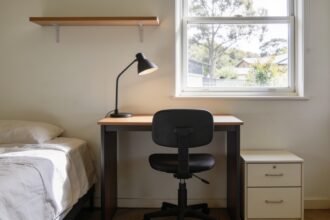
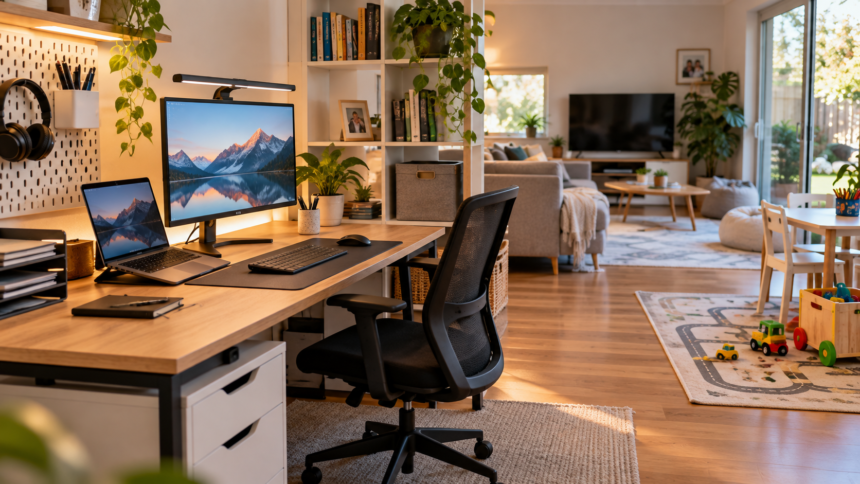
Along a wall, facing into the room, with your back to a wall or corner. A screen facing the room is visible to everyone, which matters for video calls, and a desk with its back to the wall does not become a walkway.
Not the dining table. Working from home with school-age kids makes the same point: a workspace that has to be packed away before every meal erodes within weeks, because the packing away becomes the reason not to start.
Check the power and the internet before the spot is final. A desk that needs an extension lead across the floor is a trip hazard in a room with children, and a spot with poor Wi-Fi turns every call into a problem. Getting home Wi-Fi to reach the whole house covers the fix if the good spot has the bad signal.
Consider the light. A window behind the screen produces glare all day. A window behind you puts your face in shadow on calls. Side light is the easiest to live with.
Renters should check before fixing anything to a wall. Wall-mounted shelves, monitor arms and cable channels are often the tidiest answer in a small room, but what a tenant may attach and what must be restored at the end of a lease depends on the state or territory tenancy authority and the lease. Freestanding alternatives avoid the question.
How do you make it disappear at five?
The desk needs a physical way to close. In a room you cannot leave, the boundary has to be built into the furniture.
- A laptop that shuts and goes in a drawer or a bag.
- A monitor that switches off at the wall, or a fold-down or secretary-style desk that closes.
- A screen, curtain or tall plant that breaks the line of sight from the couch.
- A box or tray that everything on the desk surface goes into at the end of the day.
The end-of-day pack-down should take under two minutes. If it takes longer it stops happening, and the desk becomes furniture the whole family sees all evening.
Keep work paper off the desk surface overnight. A shared room means children, pets and visitors can reach it. Anything confidential belongs in a closed drawer or a bag that leaves with you.
Who owns the desk?
Decide this before it is set up. The most common failure is not the furniture. It is that the desk becomes the homework desk, the craft table and the place the mail lands.
One of two rules works. Either the desk is a work-only surface and nobody else uses it, or it is shared and the person working clears it completely at the end of their block. A rule in between, where it is sort of yours, produces the dumping ground.
If children need a homework spot, give them their own. Homework desks and chairs for kids covers what actually suits a school-aged child, and a separate spot is cheaper than a household argument every afternoon.
Agree the interruption signal at the same time. A closed laptop lid means available. Headphones on means a call. Something visible that children and a partner can read from across the room.
What about the chair and the screen?
The chair matters more than the desk. A dining chair is fine for an hour and a problem for a working day. If one item gets the budget, it is a chair that adjusts in height so the elbows sit at desk level.
Raise the screen. A laptop on a desk puts the screen well below eye level. A stand, a stack of books or a separate monitor fixes the neck position, and a separate keyboard makes a laptop stand usable.
Safe Work Australia and the state and territory work health and safety regulators publish working-from-home guidance covering workstation setup, and many employers have their own checklist. This article states no ergonomic standard. Ask your employer what they provide and what they require, because some contribute to equipment.
Home office expenses may be claimable at tax time, and the Australian Taxation Office sets the methods, the rates and the records required. The rules change, so check the current ATO position rather than relying on last year.
What to skip
A large desk. A shared room needs the smallest surface that fits a screen, a keyboard and a notebook. Anything larger collects things.
A second monitor before a good chair. The chair is used all day and the second screen is a convenience.
Anything bought before the spot is chosen. The spot decides the width, the depth, whether wall fixing is possible and where power sits. Buying first means the furniture picks the spot.
Trying to make the arrangement do more than it can. A desk in the lounge does not make the house a workplace. Asking for flexible work covers agreeing the hours that make a home setup sustainable, and the holiday care gap covers the weeks a desk in the family room cannot solve.
Next: choose the wall, test the Wi-Fi and the power at that wall, decide the ownership rule, then buy the chair.
The one-page family week
One printable page that holds the whole week: meals, school, activities and who is doing the pickup. Free, and we send one useful email a week.
One email a week. No spam, unsubscribe in a click.