
What is in this guide
Start with a few family screen time rules that describe what everyone does at a particular moment, including adults. Give each rule a stopping cue and a clear exception, then practise it during an ordinary school week before adding more. The aim is a routine people can explain and follow.
NSW Government’s screen time guidance recommends a plan for the whole family, with adults modelling the expectations. Here is a practical way to put that into daily use without making every meal or game session a fresh negotiation.
Choose the moment you want to change
Pick one recurring difficulty first. Is dinner interrupted by messages? Does a game run into departure time? Is the television left on while everyone uses another device?
Name that moment rather than announcing that everyone needs less screen time. For example: “We want to eat dinner together without watching or checking anything.” That gives you something observable to practise.
Ask each person what would make the change manageable. A parent might need to check a roster before dinner. A child might want enough notice to save a game. Those details belong in the routine.
If you need to document broader expectations about apps, spending and online contact, use the guide to writing a family device agreement. Keep this exercise focused on what happens when the agreed rule meets a busy afternoon.
Say which uses the rule covers
Decide whether your rule is about recreational use, all devices at a particular moment, or a shared screen. Avoid leaving that distinction for whoever is enforcing it to decide on the spot.
A school laptop might be needed for an assignment while a console is used for entertainment. A video call with a relative might be something the family has arranged together. Write down how these uses fit into your plan.
For a school task, ask what needs finishing and when the device will be available to put away. That is more specific than accepting or rejecting “it’s homework”. Keep school requirements alongside the household routine; understanding school BYOD rules is a separate job from deciding when recreational use ends at home.
Give every shared rule an adult version
The adult version should be visible. If phones stay away from dinner, put yours away before asking a child to move theirs. Include the television, even when nobody is holding its remote.
Raising Children Network recommends that parents follow the family media plan themselves and put devices aside during conversations. It also suggests switching off television at family mealtimes.
An adult can say: “I’m checking tomorrow’s train, then this goes away.” That identifies a task and an endpoint. “I need my phone” leaves both unclear.
An on-call worker may need a different arrangement. Decide beforehand which calls need answering, where the phone will sit and what happens after the call. Explain the exception before dinner starts. The practical question is whether the work task has a boundary everyone understands.
Make the rule easy to carry out
Try these examples as starting points, adjusting the details to your household. They are suggested routines, not official time recommendations.
| Shared rule | What everyone does | Exception to settle beforehand |
|---|---|---|
| Devices away during dinner | Put handheld devices in an agreed place and switch off the television | An expected work or care-related call |
| Recreational screens stop before departure | Save, close and put the device away at the agreed cue | An essential travel check |
| Explain a necessary interruption | Name the task, complete it and return to the shared activity | An urgent situation requiring immediate attention |
| Put devices in their usual place after use | Return shared devices so the next person can find them | School equipment being packed for tomorrow |
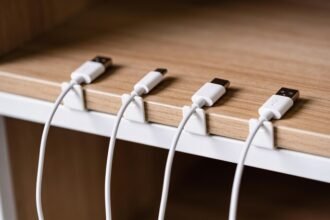
Choose a place that already exists: a shelf, desk corner or basket. If finding devices and cables is part of the problem, setting up a family charging spot covers the organisation. You do not need to buy equipment to start practising the rule.
Agree on how an activity ends
Before a recreational session begins, identify the finish. For a programme, that could be the end of the selected episode, without starting another. For a game, discuss saving and whether there is enough time to complete a round before the household deadline.
eSafety recommends giving a switch-off warning to help children wind up an activity. Choose a warning you can deliver consistently, and say what it means: “Save what you’re doing; we’re putting devices away when the timer finishes.”
Do not promise an open-ended “finish whenever the game ends” if you need to leave at a fixed time. Agree whether to start that activity at all. Adults need the same stopping discipline when a quick check turns into browsing.
Plan for the awkward days
Write down what changes on weekends, school holidays or days with different carers. A different rule can still be clear: “Saturday’s film finishes at the credits” gives everyone a shared endpoint.
When another adult is supervising, pass on the actual instruction and exception. “Screens off when dinner is served, unless the school task we discussed is unfinished” is more usable than “don’t let them have too much”.
For children moving between homes, explain the routine in the home you manage. Avoid making a child responsible for getting adults to agree. If arrangements differ, state what applies here and when it starts.
Leave room for necessary communication or accessibility uses when defining recreational screen rules. Identify the purpose of the device rather than treating every lit screen as the same activity.
Respond to a missed rule without rewriting everything
Agree in advance what happens if someone ignores a stopping cue. eSafety advises making consequences clear and following through. Keep your response within what was actually agreed.
Adults should acknowledge their own missed rule too: “I kept checking messages. I’m putting this away now.” Resume the routine instead of arguing that the interruption did not count.
At the end of a trial week, ask three practical questions: Was the cue clear? Could everyone finish or save? Did an exception keep expanding? Change the unclear part before adding another restriction.
Have a realistic next activity available, especially when everyone is staying indoors. Choose something from these indoor activities for primary school kids that suits your space and the adult help available.
Start at the next family meal: agree where devices go, name any expected interruption and put your own phone there first.
The one-page family week
One printable page that holds the whole week: meals, school, activities and who is doing the pickup. Free, and we send one useful email a week.
One email a week. No spam, unsubscribe in a click.