What is in this guide
The thing that catches people out is not a house fire. It is that their photos were never backed up in the first place, because sync looks exactly like backup until the day it does not.
Sync keeps the same set of files identical across your devices. If a photo is deleted on the phone, sync faithfully deletes it everywhere else, usually within seconds. Sync is a convenience feature.
Backup keeps a separate copy that does not change when the original does. If something is deleted, corrupted or encrypted, the backup still has it.
Most households have sync and believe they have backup. That is the gap worth closing, and it is a weekend of work once and then almost nothing.
The rule worth following
The widely used convention is three copies, on two different kinds of storage, with one of them somewhere else. It is usually written as 3-2-1.
For a household that looks like:
- The originals, on the phone or the computer
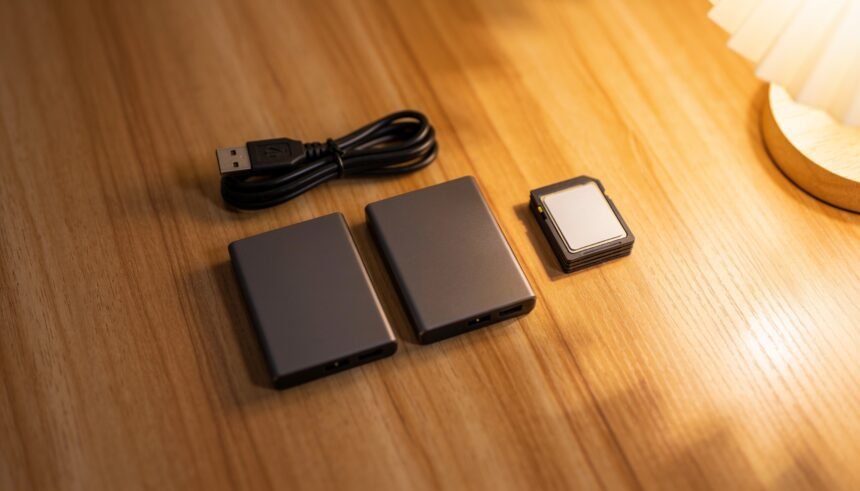
- A local copy, on an external drive you own
- An offsite copy, which for most families means cloud storage
The Australian Cyber Security Centre describes the same two approaches: cloud storage, where copies are held securely across multiple locations, and external storage devices you own, such as external hard drives, network drives, USB sticks and SD cards. Its position on frequency is refreshingly practical: back up regularly, and whether that is daily, weekly or monthly is up to you.
The reason for two different kinds is that they fail differently. A drive fails mechanically or gets stolen with the laptop. A cloud account fails through a forgotten password, a lapsed payment or an account lockout. Having both means one failure is an inconvenience rather than a loss.
Get everything into one place first
This is the boring step everybody skips, and it is the one that actually matters, because you cannot back up photos you cannot find.
- Find every source. Current phones, old phones in a drawer, the laptop, the old desktop, the camera SD cards, the external drive nobody has opened since 2019, and any cloud account anyone has signed into
- Copy, do not move. Bring everything to one folder on one computer, and leave the originals where they are until the whole thing is finished
- Do not sort yet. A folder called “to sort” with forty thousand photos in it is fine. Sorting is optional forever. Losing them is not
- Run a duplicate finder once at the end, not as you go
- Only then delete from the old phones, if at all
Old phones are worth leaving alone until you are certain. A drawer of dead phones is an ugly backup, but it is a backup.
The cloud copy
Any of the mainstream services will do this job. The choice matters far less than actually finishing it.
What to check before you commit:
- Whether it is backup or sync, and whether deletions propagate. Most consumer photo services are sync. Many keep deleted items in a bin for a set period, which is a partial safety net rather than a backup
- What happens at the free tier limit. Usually uploads silently stop, which is the worst possible failure because nothing tells you
- What happens if you stop paying. Some services make files read-only, some delete after a grace period
- Whether original resolution is kept. Several services compress by default, which is fine for viewing and not fine as your only copy
- Whether you can get everything out again in one operation
Expect the first upload to take days. Many Australian NBN connection types have modest upload speeds, and a decade of photos is a large amount of data going the slow direction. Start it on a Friday, leave the computer on, and schedule it overnight so it is not competing with everything else in the house. If wi-fi is the bottleneck rather than the connection, home wi-fi that reaches the whole house is the other half of that.
The local copy
An external drive, plugged in, copied to, unplugged, put somewhere else.
- Two drives are better than one, alternating, with one kept at a different address such as a relative’s house. That is the cheapest offsite copy there is
- Unplug it when it is not in use. A drive permanently connected is exposed to whatever happens to the computer, including ransomware
- Drives do fail. They are not archival media. Assume a working life of a few years and replace rather than trusting one indefinitely
- Label the drive physically, because an unlabelled drive in a drawer is indistinguishable from every other unlabelled drive in that drawer
Make it automatic, because discipline fails
A backup that depends on someone remembering is a backup that stops in about six weeks.
- Turn on automatic phone upload for every phone in the house, on wi-fi only so nobody burns mobile data
- Set a recurring calendar reminder for the external drive copy. Monthly is realistic. Quarterly is better than nothing
- Attach it to something that already happens. The first weekend of the school term, or whenever the smoke alarm batteries get done
- Write down where everything lives and put that note with the household paperwork, so somebody other than the person who set it up can find the photos. The family paperwork system is the right place for it
Test it once
An untested backup is a belief, not a backup.
Once, after you finish: pick a photo you know is from 2016, and restore it from the backup rather than opening it on the phone. If you cannot work out how, that is worth knowing now rather than on the day you need it.
The things people lose
Worth a separate thought, because they are rarely in the photo library:
- Videos, which are often stored separately and are much larger
- Photos inside messaging apps, which are usually not in the camera roll at all
- Scanned documents and school reports
- Printed photos, which have no backup at all until somebody scans them. A wet-season roof leak takes those permanently
- Everyone else’s phone. The photos of your children mostly live on two phones, and usually only one of them is backed up
If you are moving house, the drive holding all of this travels in the car rather than the truck, which puts it in the first-night box territory.
The short version
Sync is not backup. Get everything into one folder, push it to a cloud service, copy it to a drive you unplug, keep a second drive somewhere else, automate the phone uploads, and test a restore once.
Then never think about it again, which is the entire point.
The one-page family week
One printable page that holds the whole week: meals, school, activities and who is doing the pickup. Free, and we send one useful email a week.
One email a week. No spam, unsubscribe in a click.