
What is in this guide
- What actually arrives, and when
- Step 1: give the paperwork one home
- Step 2: keep one master list per child
- Step 3: put every deadline on the calendar the day it arrives
- Step 4: pre-fill the medical information once
- Step 5: deal with the money side early
- What to do when the form is already late
- The short version
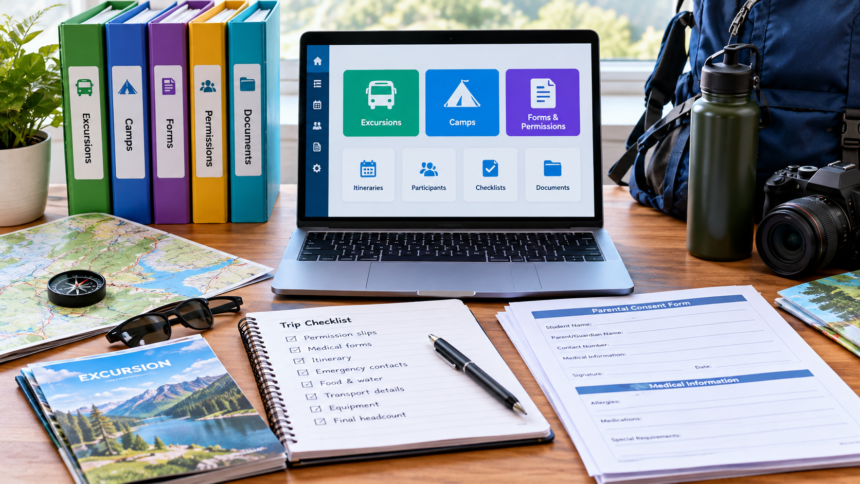
Every excursion or camp generates three separate pieces of paperwork: a consent form, a medical or health form, and a payment. They arrive at different times, through different channels, with different deadlines, and that is why one of them is always late.
The fix is a single home for all three, one master list per child, and a rule that anything with a deadline goes on the family calendar the day it arrives.
What actually arrives, and when
The sequence is more predictable than it feels. For a standard day excursion, the school sends a notice with the date, cost and a consent form, usually two to four weeks out. For a camp, the same notice arrives a term or more ahead, followed later by a medical form, a packing list, and sometimes a separate medication authority or dietary form.
Government school policies in New South Wales and Victoria both require a parent or carer to give written consent before a student attends an excursion, and both require schools to collect current medical information for the student first. In Victoria, that medical information is gathered on a dedicated confidential medical form for camps and excursions. This is why the medical form is not optional and why the school will chase it.
Increasingly, none of this comes home as paper. Most Australian schools deliver notices, consent and payment through a school app or parent portal, with a paper copy only if you ask. The app is convenient until you have two children at two schools using two different systems and no single view of what is outstanding. The setup that catches this is described in the school-year calendar that stops missed notices; this article picks up the excursion and camp part specifically.
Step 1: give the paperwork one home
Choose one physical folder or one digital folder, not both, and make it per child.
- Physical: an expanding file or display book kept where school bags are unpacked. One pocket per child, one pocket for anything paid but not yet happened, one pocket for done
- Digital: one folder per child in whichever cloud storage you already use, with a screenshot or PDF of every notice, consent and payment receipt saved the day it lands
The digital version wins for app-based schools because the app is the paper. Take a screenshot of the notice and the payment confirmation and file it. School apps archive events, but finding a receipt from March inside an app in October is slower than opening a folder.
Where this sits inside the rest of the household filing is covered in the family paperwork system. Excursion and camp paperwork is short-lived. Once the event is over, the consent and medical forms can be discarded and only the payment record kept until the term’s statement is checked.
Step 2: keep one master list per child
A one-page list per child, in the front of the folder or pinned in the digital one, with a row for every upcoming excursion or camp and four columns:
- Event and date
- Consent: done or outstanding
- Medical form: done, outstanding, or not required
- Payment: amount, due date, paid or not
That is the whole system. The list is what you check on Sunday night, not the app, not the bag, not your memory. A camp that needs three separate forms gets three rows.
Step 3: put every deadline on the calendar the day it arrives
The single rule that prevents late forms is that a deadline goes on the shared family calendar at the moment the notice is opened, with a reminder set for two days before. Not later, not when you get a chance. Opening a notice and not entering the date is how it becomes a night-before scramble.
For a camp, enter two dates: the payment due date and the medical form due date, because they are often weeks apart.
Step 4: pre-fill the medical information once
Camp medical forms ask for the same things every time: doctor’s name and contact, Medicare number, ambulance cover, conditions, medications and doses, allergies and the current action plan, dietary requirements and emergency contacts.
Keep one reference sheet per child with all of it, stored with the folder, and update it when anything changes. Filling a camp medical form from a reference sheet takes minutes. Filling it from memory at 9pm produces guesses, and a guessed medication dose on a school form is not a small error.
For a child with anaphylaxis or asthma, the school will ask for a current ASCIA action plan signed by a doctor, and camps usually require the medication to travel with the child in its original packaging. Action plans carry a date and need renewing, so check the date on the plan when the camp notice arrives rather than the week before departure. Anything clinical on the form is a question for your GP, not for the school office.
Step 5: deal with the money side early
Camps are the single most expensive item in a school year for many families, and fees for excursions add up across four terms. Where the money fits is laid out in what a school-age child costs across a year, and the January spike, which is when several camp deposits often fall due, is covered in what back to school actually costs per child.
Two things reduce the cost, and both are under-used because they are not printed on the notice.
Payment plans. Schools routinely offer instalments for camps. It is an administrative request to the school office, not a hardship application, and asking early gets a longer plan.
State assistance. In Victoria, the Camps, Sports and Excursions Fund provides payments for eligible families to cover the cost of camps, sports and excursions, applied for through the school and paid directly to the school. Other states and territories have their own arrangements, usually through the school and sometimes through a state education department scheme. The school office is the entry point everywhere. Search your state education department plus camps and excursions assistance, and ask the office what applies.
Budget-wise, a fixed line for school activities across the year smooths this out, which is what the family budget template does with irregular costs.
What to do when the form is already late
Contact the school office the same day. Most schools accept a late consent form up to the morning of a day excursion, though a child without consent on file will be kept at school. For camps, the medical form and any medication authority are the ones with a hard cut-off, because staff have to plan around them. A phone call gets a clearer answer than a message through the app.
The short version
One folder per child, one master list with four columns, every deadline on the calendar the day it arrives, one medical reference sheet filled in once, and a call to the office about a payment plan and state assistance before the first camp of the year. That is the entire system, and it takes one evening to set up.
The one-page family week
One printable page that holds the whole week: meals, school, activities and who is doing the pickup. Free, and we send one useful email a week.
One email a week. No spam, unsubscribe in a click.